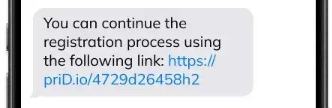
If Moneybase has sent you a secure identity verification link by SMS, you can use it to submit your identification documents directly from your mobile phone without accessing the Moneybase app.
How do I start the verification process?
- Open the SMS received from Moneybase.
- Tap the verification link to open the secure verification page in your browser.
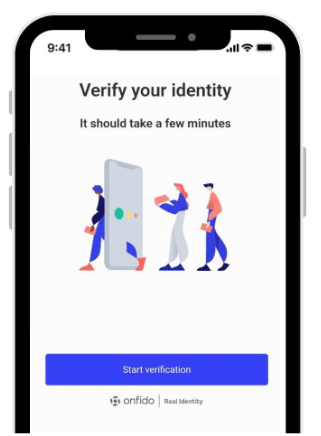
- Select Start verification.
- Under Choose your document, select the country that issued your identification document.
- Choose the document type you wish to submit.
How do I photograph my identification document?
- When prompted, select Continue to enable camera access.
- Allow your browser to use your phone's camera.
- Position your identification document within the camera frame, ensuring all four corners are visible.
- Tap the shutter button and hold your document still until the recording is complete.
- Review the image to ensure all details are clear and readable.
- Select Upload to continue, or Redo if you need to take another photo.
- If requested, turn your document over and repeat the process for the backside.
- Follow any remaining on-screen instructions to finish.
Do I need to photograph both sides of my document?
For identity cards, driving licences and residence permits, you will need to photograph both the front and back.
For passports, only the page containing your photograph and personal details is required.
What happens after I submit my documents?
Once you have completed the on-screen instructions, your documents will be submitted for verification.
What if I cannot complete the process?
If you experience difficulties with your camera or uploading your documents, refer to our troubleshooting guide or contact support@moneybase.com.
Related articles
Was this article helpful?
That’s Great!
Thank you for your feedback
Sorry! We couldn't be helpful
Thank you for your feedback
Feedback sent
We appreciate your effort and will try to fix the article