You can update your identification documents and complete identity verification even if you cannot access the Moneybase app.
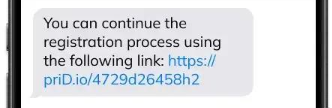
Moneybase can send you a secure verification link by SMS, allowing you to complete the process directly from your mobile phone without logging into the app or visiting a branch.
How can I request a verification link?
Contact Moneybase Support at support@moneybase.com and request a secure document update link.
Our team will arrange for an SMS to be sent to your mobile number with instructions to complete the verification process.
How do I update my identification documents?
Once you receive the SMS:
- Open the SMS from Moneybase and tap the verification link.
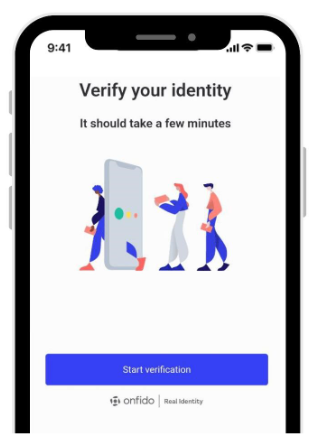
- Select Start verification.
- Choose the country that issued your identification document.
- Select the type of document you wish to submit.
- Allow your browser to access your phone's camera.
- Follow the instructions to photograph your document.
- Review the images and submit them to complete the process.
Which identification documents can I use?
You can select from the following document types:
- National identity card
- Passport
- Driving licence
- Residence permit
*Available document types may vary depending on the issuing country.
Do I need to visit a Moneybase branch?
No. The verification process can be completed remotely using your mobile phone.
What if I need assistance?
If you experience any difficulties, contact our Support Team at support@moneybase.com.
Related articles
- How do I verify my identity using the SMS link from Moneybase?
- Which identification documents can I submit for verification?
- What should I do if I cannot complete my identity verification?
Was this article helpful?
That’s Great!
Thank you for your feedback
Sorry! We couldn't be helpful
Thank you for your feedback
Feedback sent
We appreciate your effort and will try to fix the article